


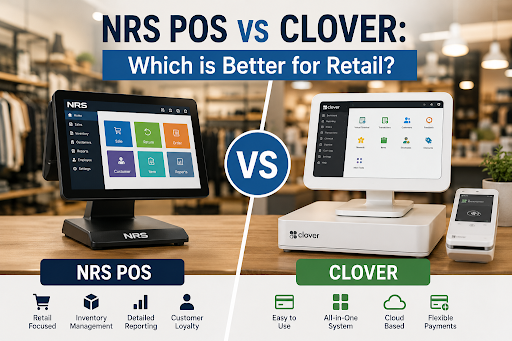
NRS POS vs Clover: Which Is Better for Retail?
Choosing the wrong checkout machine can cost you thousands of dollars a year silently because of slow transactions, inventory may be difficult to manage, and hidden fees that nobody tells you about, if you compare the NRS POS system with other prominent systems. You're doing great because every POS system is not suitable for everyone. This guide breaks down both systems honestly, so you can match the right tool to your shop floor instead of picking based on brand recognition alone.
Retail owners usually don't have the time to test multiple POS systems before choosing one. That's why the comparison is important in everyday business: how quickly the system can be set up, whether the hardware works reliably, how clear and fair the pricing is, and how well the system performs when customers are waiting to pay at the checkout counter.
Get Started With Us
Fill in your details and we'll get back to you shortly.
What Is the NRS POS System?
NRS POS is designed especially for small independent stores like convenience stores, liquor stores, and small grocery shops that require instant scanning, age verification, and to keep track of inventory easily. The system is simple to learn and use. Instead of being a basic checkout system for all types of businesses, it is built as a complete retail management solution for store owners.
What Is a Clover POS Machine?
A Clover POS machine is more flexible and customizable. It was made for retail stores and restaurants, but now it can be used for multiple types of businesses. It offers a marketplace of apps that store owners can add to get extra features, allowing them to build and expand their POS system as their business grows.
NRS POS vs Clover Comparison: Feature by Feature
Hardware and Software
The NRS comes packaged as a full kit: terminal, barcode scanner, cash drawer, and receipt printer, all set up and ready to go, which makes life easy for business owners who prefer only one contact to deal with rather than multiple. Whereas a Clover POS hardware & software review is likely to emphasize the cool, modular hardware components, each of those separate parts (Station, Mini, Flex) can be ordered individually and separately configured.
Ease of Use
Each tries for an intuitive user interface, but each has its strengths in a certain context. NRS seems designed specifically for a quick-moving point-of-sale counter with functions like SKU search and handling age-restricted products already incorporated. The interface for Clover is clean and visually current, and appeals to the entrepreneur who runs a combination restaurant/retail business.
Pricing
NRS POS pricing vs Clover pricing is the place where most business owners make their decisions. Usually, NRS prices include the cost of software and updates in a monthly price, which works well for small shops that prefer predictability in their bills. Clover pricing usually differs based on the level of hardware and processor deal you have, so the price that you will pay largely depends on your device and processor deal.
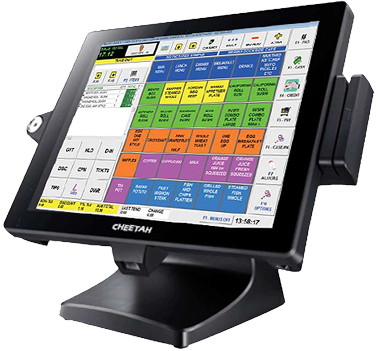
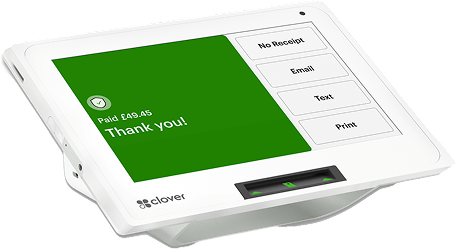
NRS POS Benefits for Convenience Stores
However, there are specific needs that convenience stores and liquor stores require. These include quick scanning speed, embedded age verification, lottery, EBT management, and precise loss prevention reporting. It is at this juncture that NRS gains its fame. Owners often comment that the lines clear much more quickly during peak times than with other systems.
POS Systems for Grocery Stores: Where Each One Fits
For grocery POS systems, nothing is as important as inventory depth. The system NRS provides is capable of managing large SKUs, ordering from vendors, and shrinkage reporting with functions customized for grocery profit margins. However, Clover can definitely handle your grocery checkout process, especially if you own specialty stores, but due to its marketplace app-based approach, you will have to integrate some extra inventory apps on top of that.
Cloud-Based vs Traditional POS: What Retailers Should Know
The cloud vs traditional POS debate feels a bit outdated at this point — both NRS and Clover run primarily in the cloud, syncing sales and inventory data in real time across locations. The real question isn't cloud versus on-premise anymore. It's how much of that cloud connection is actually doing the work for you versus how much you're still typing in by hand. NRS puts its energy into automating retail-specific reporting, while Clover hands you a toolkit of apps so you can piece together whatever workflow fits your business.
NRS POS System Review: Strengths Worth Noting
Independent retailers tend to bring up the same three things: it stays up reliably even during busy hours, the support staff actually understands the day-to-day realities of running a convenience store, and the pricing doesn't quietly creep up once you start adding features. The catch is flexibility — if your business does more than straight retail, Clover's larger app catalog might bend more easily around extras like appointment booking or table-side ordering.
Easy-to-Use POS Systems for Shop Owners: The Bottom Line
If you just want a POS that rings up sales fast without a pile of settings to babysit, NRS is the one that asks less of you day to day. But if you're thinking your business might grow into hospitality, services, or multiple concepts down the line, Clover's flexibility is the bigger selling point — you just pay for it with a slightly more involved setup at the start.