


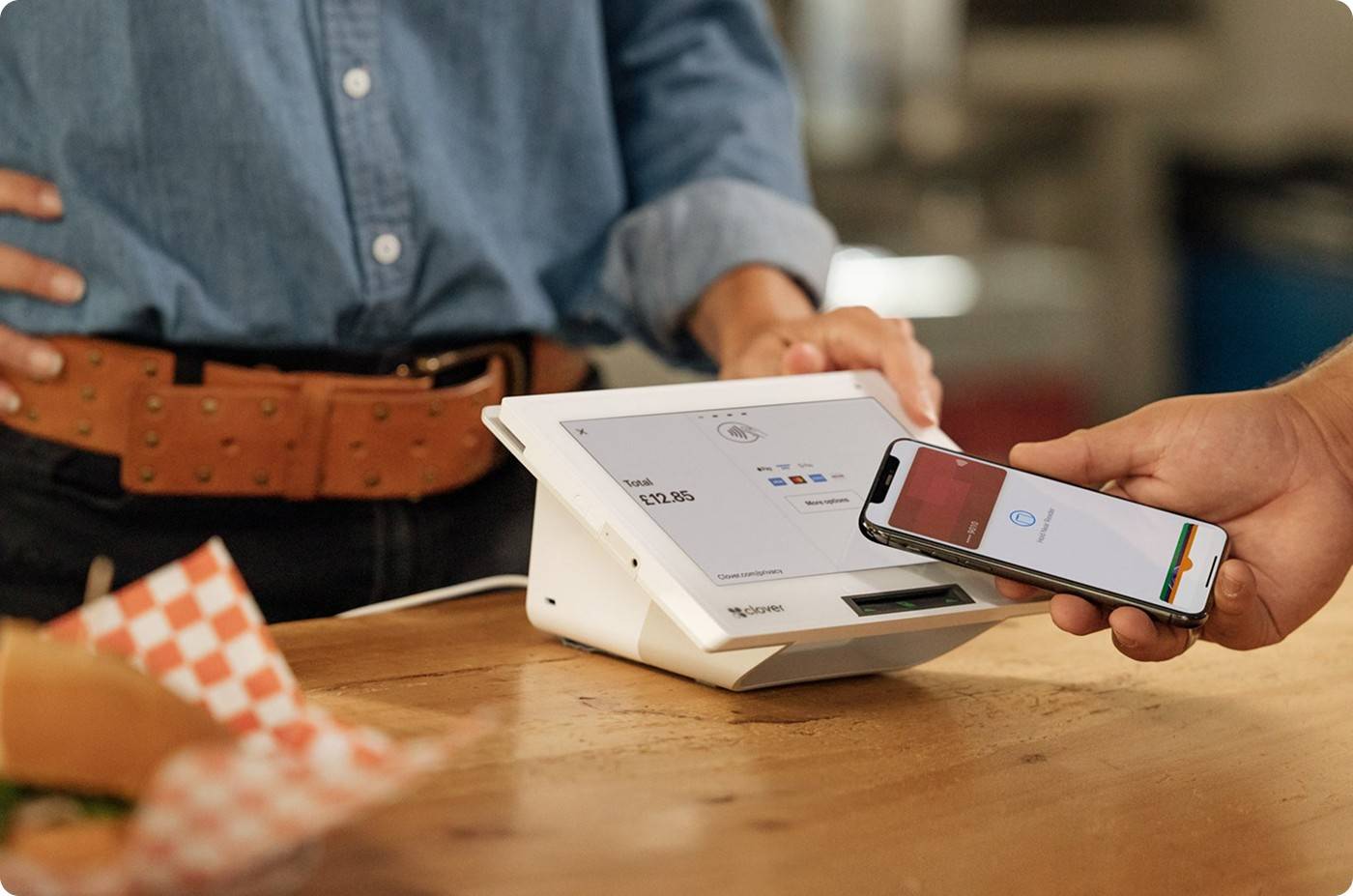
POS Hardware vs POS Software: What's the Difference?
Your business is booming, so you start looking for ways to update your business operations. But while looking at the wide array of POS Systems, you come to notice listings under POS software and hardware. Now the question is, what is the difference, and what is the best match for your business?
If these questions remain unanswered, they can lead you to buy the wrong POS system for your business, causing more damage than anticipated. Truthfully, both are two main aspects of a singular POS system. They both assist each other to offer the reliable, prompt results of a standard high-performing POS system.
Regardless of your business domain and operations, knowledge of POS can help you make an informed decision. So, without further ado, let's explore this comprehensive guide curated by POS hardware experts at Soiree Inc.
Get Started With Us
Fill in your details and we'll get back to you shortly.
What is a POS Hardware?
POS hardware is a self-explanatory term referring to the internal components of physical POS machines. These physical components are responsible to run transactions at the checkout counter. These tools have close proximity to your customers and staff, and pretty much anyone who operates the counter. These components help you run your in-store operations smoothly.
Common POS Hardware Components
A retail checkout typically includes multiple POS system hardware devices that work together. We have mentioned the major players here:
- A POS terminal (this can be either a tablet, touchscreen, or desktop, depending on the owner's preference)
- Barcode scanner (a simple device, which comes integrated in most POS systems, is used for scanning)
- Receipt printer (integrated in most POS systems. It is used to print receipts for record-keeping and to provide customers with insight into their purchases.
- Cash drawer (carries a stash of physical money for non-digital transactions at the counter)
- Card payment reader (Inputs and processes cards for digital payments)
These components work collectively to form the foundation of reliable retail POS hardware that enables your staff to:
- Work Effectively
- Process Checkouts Faster
- Offer Safe and Error-Free Transactions
Pro Tip: When looking at the POS hardware components, always consider:
- Hardware durability
- response time
- compatibility with your already-existing system
What is POS Software?
Coming to POS software, it is basically the soul of the POS setup. On one side, the hardware manages physical interactions, while the software handles all backend operations. It controls:
- Pricing
- Tax Rules
- Inventory Movement
- Reporting Logic
Key POS Software Capabilities
Modern systems are the exact opposite of traditional models, with bulky designs and limited computational capabilities. Nowadays, many POS systems come with new POS software features that handle the payment process and streamline the entire process with a single setup.
- Inventory Management Software: Responsible for tracking stock in real time
- Sales Reporting Tools: Responsible for performance insights
- Additional Controls: User access controls and audit trails
Many businesses have moved to newer POS with cloud-based POS software as it they offer flexibility, remote access, and automatic updates. However, some operations still rely on on-premise POS software as most on-site models require access to data control and the internet.
POS Hardware vs Software: How They Work Together?
The debate between POS hardware and software isn't really about choosing which is more important; it's about integration. In fact, it takes seamless POS device and software integration within a POS setup to streamline your business and speed up operations.
Let's explore the topic with a basic example. Whenever you or your staff scan a product, the following things happen without you even noticing:
- Hardware scans and processes the barcode attached to the product.
- The software then takes all the retrieved data and updates inventory levels automatically
- Lastly, all sales data is logged instantly without additional prompting.
This coordination defines overall POS system functionality and determines how scalable the POS is for your scaling business.
Understanding Point of Sale System Components
POS isn't a singular entity; it is made up of many point-of-sale system components that work together to serve a single purpose: making business operations easy. Some retail and business owner with heavy foot traffic also pair their innovative POS with diverse peripherals.
Hardware handles input and output, while software manages logic, analytics, and compliance. Simple explanation, yet many businesses tend to be unaware and skip proper planning. That's where they end up facing compatibility issues during POS system installation, leading to downtime or hidden costs later.
That's why it is essential to be aware of technicalities and buy from trusted brands like Soireeinc.
POS System Setup and Installation Considerations
After purchasing the system, the second most important thing is a proper POS system setup. A proper setup will help you streamline checkout and avoid future expenses. There are four main components that decide the result you'll get from your setup:
- Business Size
- Transaction Volume
- Operational Complexity
Smaller stores can operate effectively with a mobile-based POS device or compact POS setups as they require only a simple countertop terminal. On the other hand, larger multi-location retailers and businesses require a more synchronized system.
When done correctly, professional POS system installation offers:
- Correct Device Configuration
- Secure Payment Processing
- Staff Training Readiness
Rushed installations should be avoided at all costs and often result in performance bottlenecks, especially during peak hours.
POS Hardware vs Software Cost Comparison
Now that you know the basics, the major deciding factor remains: the cost. A proper POS system cost comparison basically accounts for both upfront and long-term expenses. So, discuss this in detail to identify the best POS system for retail businesses and other high-traffic environments.
Hardware costs include:
- Peripheral Upgrades
- Maintenance and Replacements (If Any)
- One-Time Purchase
Software costs include:
- Subscription or License Fees
- Cloud Hosting (If Applicable)
- Feature Upgrades
The best option here is to consider both the technical elements and the quoted price so you don't end up overspending on a system that can't even handle your business's day-to-day operations.
Hardware or Software, Which Matters More?
In reality, neither works effectively without the other. Hardware allows proper transactions, while software turns data into actionable insights. A well-integrated system is the only key to efficiency, accuracy, and customer satisfaction.
If you're planning to upgrade or expand, now is the right time to buy a POS system that is built for growth.
Ready to upgrade your POS experience? Explore diverse, reliable, scalable POS solutions with Soiree Inc!