


POS Migration for Restaurants: What Actually Breaks
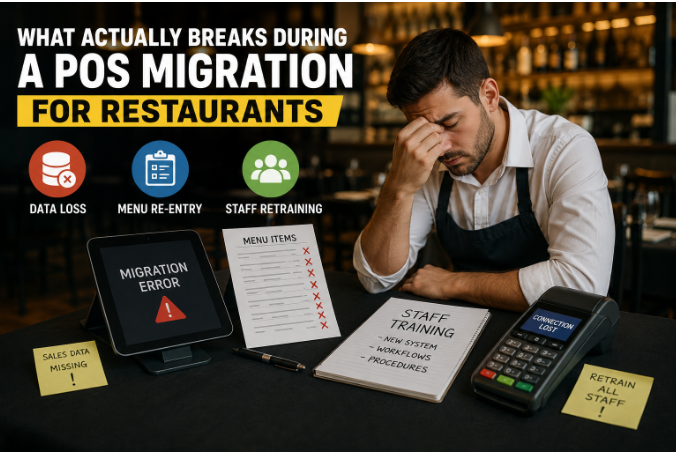
Most restaurant POS migrations don't fail at the software level — they fail in three predictable places: historical data that never transfers cleanly, menus that must be rebuilt by hand, and staff who quietly revert to old workarounds during peak hours. If you're switching to a PAX POS machine or any modern Android-based terminal, expect the hardware to be the easy part. The hard part is everything wrapped around it.
The key takeaway: a migration is not an installation. It's a controlled data event. Restaurants that treat it like a plug-and-play swap lose an average of one full week of clean reporting, and some lose loyalty balances permanently. This guide covers exactly what breaks, in what order, and how to protect each piece using a simple three-step process I call the Freeze–Map–Prove Method.
What Data Actually Gets Lost in a POS Migration?
Not all data is equal, and vendors rarely tell you which category yours falls into. There are three tiers:
| Data Type | Usually Transfers? | Risk Level |
|---|---|---|
| Menu items & prices | Partially (via CSV) | Medium |
| Sales history & reports | Rarely | High |
| Customer profiles & loyalty points | Sometimes | High |
| Gift card balances | Only with processor cooperation | Critical |
| Employee records & permissions | Almost never | Low (rebuildable) |
Roughly 7 out of 10 restaurant migrations lose full historical sales reporting, because most POS vendors export summaries — not transaction-level data.
The fix under the Freeze–Map–Prove Method: Freeze your old system's exports on day one. Download every raw report — daily sales, item mix, labor, tax summaries — before you cancel the old contract. Once access ends, that data is usually gone for good.
Why Does Menu Re-Entry Take So Much Longer Than Promised?
Vendors quote "menu import in 24 hours." What they import is a flat list of names and prices. What they don't import:
- Modifier groups (no onions, extra cheese, spice levels)
- Forced modifiers (choose a side, choose a size)
- Combo logic and happy-hour pricing rules
- Printer routing (which item fires to which kitchen station)
- Tax categories per item
A 120-item restaurant menu typically carries 400+ modifiers behind it — and modifiers are what break first in every migration.
This is the Map stage: before touching the new system, screenshot every modifier screen on your old POS. It sounds tedious. It's faster than rebuilding from memory while a line cook shouts corrections during dinner rush.
How Bad Is the Staff Retraining Problem, Really?
Worse than owners expect, but not for the reason you'd think. Staff doesn't struggle with the new interface — modern terminals like the PAX A920 are more intuitive than legacy systems. They struggle with the muscle memory of exceptions: voids, splits, comps, refunds, and offline mode.
Servers learn a new POS home screen in under an hour, but exception workflows (voids, split checks, refunds) take 2–3 real service shifts to stick.
Practical retraining plan:
- Shift 1: New system runs in training mode during a slow lunch.
- Shift 2: Live orders, but a "floater" staff member handles all voids and splits.
- Shift 3: Full independence, the manager audits every void at close.
Skip step 2, and you'll see the classic failure: staff writing orders on paper "just for tonight," which becomes two weeks of untracked sales.
The 48-Hour Payment Dead Zone Nobody Warns You About
Between deactivating your old merchant account and your new processor going fully live, there's often a gap where batches settle late, tips post incorrectly, or duplicate charges appear.
The riskiest window in any POS switch is the first 48 hours of payment processing, when settlement, tips, and batch timing are most likely to misfire.
Protect yourself:
- Run both processors in parallel for at least two days if your contracts allow it.
- Reconcile the first three batch settlements manually against your bank deposits.
- Test one refund and one tip adjustment on day one — don't wait for a real customer dispute to discover a broken flow.
This is the Prove stage: nothing is "migrated" until you've proven a full money loop — sale, tip, batch, deposit, refund — end to end.
What Happens to Your Old Reporting History?
This is the silent casualty. Your new dashboard starts at zero. Year-over-year comparisons, seasonal trends, item performance history — all of it lives only in the old system.
Your new POS dashboard starts from zero on day one, so any year-over-year comparison for the next 12 months depends entirely on the exports you save before switching.
Minimum export checklist before cancellation:
- 24 months of daily sales summaries (CSV)
- Item mix/product mix reports by month
- Labor cost reports
- Tax collected reports (your accountant will ask)
- Voids and comps report (fraud pattern history)
Store them in two places. Cloud plus a local drive. Vendors deactivate portal access faster than you'd expect — sometimes the same day you cancel.
Hardware Handover: Small Details That Cause Big Downtime
Switching to Android smart terminals is usually an upgrade, but three details trip up restaurants:
- Receipt printer compatibility: Legacy kitchen printers often need new drivers or a full replacement.
- Network setup: Handheld terminals like the PAX A920 depend on solid Wi-Fi coverage — dead zones on the patio mean dead orders on the patio.
- Cash drawer triggers: The old drawer may not fire from the new terminal without an adapter.
Most "POS failures" in week one are actually network failures — a $60 Wi-Fi extender prevents more downtime than any software setting.
Conclusion
POS migrations break in the seams, not the software: lost history, hand-rebuilt modifiers, exception-workflow confusion, and a risky first 48 hours of payments. Run the Freeze–Map–Prove Method — freeze your old data with full exports, map every modifier and printer route before rebuilding, and prove the complete money loop before you trust the new system.
Get Started With Us
Fill in your details and we'll get back to you shortly.