


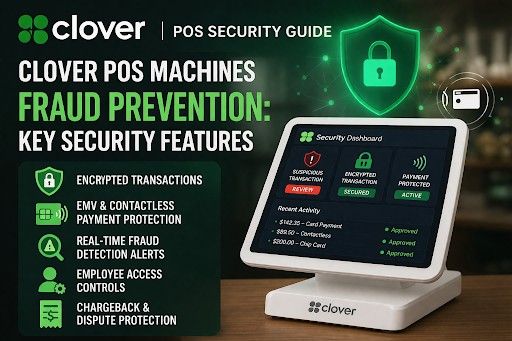
Clover POS Machines Fraud Prevention: Key Security Features Guide
If you're running a business exploring Clover POS machines, chances are security is somewhere on your mind, especially with how common payment fraud has become today. Whether you own a café, retail shop, or restaurant, even a single fraudulent transaction can hurt your revenue and customer trust.
The good thing? Clover POS is designed with security at its core. It's not just a payment processor; it's a complete system that quietly protects every transaction, every customer detail, and every part of your workflow, and manages inventory.
In this guide, we'll walk through how Clover keeps your business safe in a way that actually makes sense, no complicated jargon, just practical insights you can trust.
Get Started With Us
Fill in your details and we'll get back to you shortly.
Built-In Security That Works from Day One
One of the biggest advantages of the system is that you don't have to "set up" security from scratch. The system comes ready with multiple layers of protection already in place.
Right from the moment you start using it, Clover POS ensures your transactions meet Clover's PCI-compliant security standards. This is a globally recognized framework that ensures sensitive cardholder data is handled properly. In simple terms, it means your business is following the same security rules as major financial institutions.
But it doesn't stop there.
It also uses Clover end-to-end encryption, which protects data as it travels from the customer's card to the payment processor. Imagine sending a locked box that only the receiver can open. That's essentially how encryption works here.
On top of that, there are the encryption and tokenization features. This feature secures important data by replacing it with a secure token. So even if someone tries to access the data later, there's nothing meaningful to steal.
All of this happens behind the scenes, without slowing down your checkout process.
Smart Card Protection with EMV & Contactless Payments
Fraud often begins at the point of payment. That's why the POS focuses heavily on making each transaction itself secure.
Let's start with chip cards. With its EMV chip protection, every transaction generates a unique code that can't be reused. This makes it incredibly difficult for fraudsters to duplicate card data.
Now think about contactless payments, tapping your card or phone. It supports this through the NFC contactless security, which uses short-range encrypted communication. It's fast, convenient, and surprisingly secure.
In fact, contactless payments often reduce the risk of fraud compared to traditional swipe methods because they never expose full card details. That's also the main reason why even small businesses are investing in high-quality peripherals like barcode scanners.
So, whether your customers prefer to dip, tap, or swipe, this POS ensures each method is protected.
Real-Time Monitoring & Fraud Detection
Here's where things get even smarter.
This cloud-powered POS isn't only used to process payments instantly. It also actively monitors them to ensure efficient, error-free financial management. This is where its fraud detection system comes into play.
Every transaction is analyzed using transaction-monitoring tools that detect unusual patterns. For example:
- A sudden high-value purchase
- Multiple failed transactions in a short time
- Activity that doesn't match your usual sales behavior
When something seems off, the system can trigger suspicious transaction alerts, giving you a chance to review the activity before it becomes a bigger issue.
These Clover risk management tools are especially useful for growing businesses where transaction volume increases over time. Instead of manually checking everything, Clover does the heavy lifting for you.
Chargeback & Dispute Protection Tools
If you've ever dealt with a chargeback, you know how frustrating it can be. It's not just about losing money; it's also about the time and effort needed to respond.
Clover makes this process a lot easier with built-in chargeback protection tools.
Whenever a dispute arises, you can quickly access transaction details, receipts, and customer data through a centralized dashboard. This makes the Clover dispute management process much smoother and less stressful.
Instead of scrambling to find proof, everything is already organized and ready to go.
This level of preparation can make a big difference when you're trying to defend your case.
Secure Employee Access & Permissions
Fraud doesn't always come from outside sources or digital payments. Sometimes, it can happen internally, whether intentional or accidental.
That's why Clover gives you full control over who can access what.
With Clover user access control settings, you can create different roles for your staff. For example:
- Cashiers can process payments
- Managers can issue refunds
- Owners can access reports and analytics
This is reinforced through Clover employee permission security, which ensures sensitive actions like refunds or voids aren't accessible to everyone.
It's a simple but powerful way to reduce risk and maintain accountability within your team.
Customer Data Protection You Can Trust
Your customers trust you with their payment information, and protecting that trust is critical.
Clover takes this responsibility seriously, with strong, secure customer data-handling practices. Sensitive data is never stored in a way that can be easily accessed or misused.
The system's Clover POS data protection features make it so that even if someone gains unauthorized access, they won't find usable card details. This protects your customers and strengthens your reputation as a secure and reliable business.
How Clover Prevents Payment Fraud?
Let's step away from features for a moment and look at how payment fraud normally happens in real life. For a minute, just close your eyes and imagine for a minute. A customer enters one of your stores and tries to make a high-value purchase. Then he makes the payment via a card. He uses a cloned card. With traditional systems, this might go unnoticed. But with Clover POS:
- The EMV chip generates a unique code.
- The system analyzes the payment for any unusual transaction behavior.
- If something feels off, you may get an alert.
Or consider an online-style fraud attempt where someone tries multiple transactions quickly. Clover's monitoring tools can flag this pattern and help you intervene early.
This is exactly how Clover POS prevents payment fraud; it isn't a mere single tool; instead, it is a specialized tool with multiple systems that work in harmony for better and more secure payment.
Why Clover's Layered Security Approach Matters
One of the reasons this POS system stands out is its layered approach to security. It combines many innovative features such as:
- High-Tech Encryption
- Monitor Operations
- User Controls
- Compliance Standards
Think of it like having multiple locks on your door instead of just one. Even if one layer is challenged, others are still protecting you.
That's what makes Clover such a reliable choice for businesses!
Merchant Fraud Prevention Guide for Clover
Are you looking to buy a Clover POS or already have one? We have listed the most useful yet simple tips to make the most of its security features:
- Transaction reports via regular review
- Set clear employee roles and permissions
- Gain reliable alerts for unusual activity
- Keep your system updated
- Train your staff on basic fraud awareness
These small steps, combined with Clover's built-in tools, create a strong and practical Clover merchant fraud prevention guide you can rely on daily.
Conclusion
At the end of the day, fraud prevention shouldn't feel overwhelming. You shouldn't have to constantly worry about whether your system is safe. This is where Clover is your best bet. Now, you get peace of mind built into your daily operations. It offers many intuitive features that are specially designed to protect your business without slowing you down:
- Encrypted Payments
- Smart Monitoring
- Controlled Access
If you're ready to upgrade to a POS system that prioritizes both security and simplicity, Clover is a smart choice. Reach out to Soireeinc today, and we'll help you find the right setup for your business.