


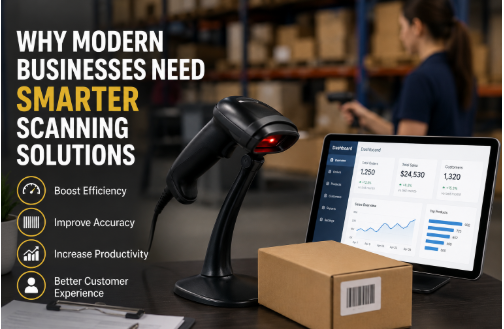
Why Modern Businesses Need Smarter Scanning Solutions
I spent an afternoon last year watching a stock-take at a mid-sized electronics distributor. Two guys, clipboards, a laser gun from 2011 that refused to read anything printed on shiny plastic. It took them four hours to count one aisle. The store next door? Same size, same stock, done in forty minutes — because they'd switched to a 2D Hand Held Barcode Scanner and stopped fighting their own equipment.
That gap is the whole story, really. Scanning isn't a boring hardware purchase anymore. It's the difference between knowing what's in your warehouse and guessing.
The Problem Nobody Measures
Ask an owner how much slow scanning costs them, and you'll usually get a shrug. Fair enough — nobody times a beep. But the hidden losses show up in places most businesses rarely notice.
A cashier waiting two extra seconds per item doesn't sound like much. Do the math across 800 scans a shift, six tills, seven days, and suddenly you've lost whole working days every month to ared laser scanner that can't read a crumpled label. Warehouse pickers have it even worse. Damaged barcodes, tilted labels, or small printed codes all lead to the same cycle: re-scan, re-scan, give up, and type the number by hand.
And manual data entry is where the real damage happens. Humans make roughly one typing error in every 300 characters, while a quality barcode scanner may misread only once in millions of scans. One of those errors can disrupt your inventory accuracy. The other doesn't.
Paper-based workflows make everything heavier still. Invoices sit in ring binders, delivery notes fill drawers, and someone ends up searching for a receipt from months ago. Although paperless business solutions have existed for years, many companies still spend money storing filing cabinets instead of improving efficiency.
So What's Actually Different About a 2D Barcode Scanner?
Short version: it's a camera, not a laser.
Traditional laser barcode scanners sweep a beam across printed barcode lines and read the reflected light. They work well for standard 1D barcodes—but struggle when the code is a QR Code, displayed on a phone screen, damaged, or tilted at an angle.
A 2D Barcode Scanner captures an image instead, and its decoding software reads whatever appears within the frame. That single improvement unlocks several important advantages.
It reads QR Codes, Data Matrix, PDF417, and virtually every common 1D barcode format businesses already use. Upgrading doesn't mean abandoning your existing labels—it simply expands what your scanner can recognize.
Orientation no longer matters. Whether the barcode is upside down, rotated, or scanned from an awkward angle, the imager reads it without requiring perfect positioning.
Phone screens work too. Digital coupons, mobile tickets, and electronic loyalty cards can all be scanned directly from a display without the reflection issues that often affect laser scanners.
Even damaged or partially smudged barcodes can often be decoded because modern 2D barcode formats include built-in error correction. A worn label doesn't automatically mean a failed scan.
For high-volume operations, that's a major advantage. Someone scanning hundreds of parcels every shift shouldn't need perfect aim. With a handheld 2D barcode scanner, they simply point in the general direction, scan, and move on to the next item.
The part people miss: documents, not just barcodes
Here's the thing, though. The smartest operations I've seen don't stop at barcodes. They've extended the same idea — capture it, don't type it — to paperwork.
That's what intelligent document processing (IDP) is. You scan a supplier invoice, and instead of a dumb image sitting in a folder, software actually reads it. The engine underneath is OCR technology, which turns printed text into real data, and honestly, OCR has come a long way. Ten years ago, it mangled anything that wasn't a clean laser-printed page. Modern AI-powered scanning pulls out invoice numbers, line items, totals, even scrawled handwriting on delivery notes, and gets it right most of the time.
Picture a receiving dock. Old way: driver hands over the delivery note, someone types it all into the ERP, files the paper, prays they didn't fat-finger a quantity. New way: scan it, the system extracts the PO number and quantities, checks them against the order, flags mismatches, and archives the file where anyone can search for it later. Ten minutes down to thirty seconds — and a proper audit trail, which the old way never had.
Bolt that into an automated document workflow, and papers start routing themselves. Invoice arrives, gets read, matched, and sent to accounts for approval. Nobody touched it. That's business process automation doing actual work instead of sitting in a strategy slide.
Where it bites hardest
Retail. Shorter queues, yes, but also loyalty QR codes, digital coupons, and live stock counts. Staff stop apologizing for scanners that won't scan.
Warehousing. Extended-range imagers read pallets on top racks from the floor. No ladder. Pair that with digital document management for proof-of-delivery and dispatch stops drowning in paper at 5 pm.
Healthcare. Wristbands, medication packs, specimen tubes — all 2D coded now. A bedside scan confirming the right patient gets the right dose is a safety net; no manual check matches. The good devices survive constant disinfecting, too, which matters more than spec sheets admit.
Manufacturing. Data Matrix codes etched onto individual components mean a defect traces back to the exact batch in minutes, not weeks.
Buying one? Ask these five things first.
- What will it scan? If phone screens or beat-up labels are in the mix, you need an imager. Full stop.
- How rough is the environment? Concrete floors demand a drop rating and at least IP54 sealing. A retail counter can get away with a lighter kit.
- Corded or Bluetooth? Corded never runs flat. Wireless lets people move. Pick for the workflow, not the price.
- Scan distance? Standard range covers arm's length. Rack-level work needs extended-range optics.
- Will it talk to your systems? A scanner that feeds clean data straight into your POS or ERP beats a cheaper one that leaves you exporting CSVs. Check before you pay, not after.
A decent imager costs more than a bargain laser gun, no argument. It also earns that back in a few months through errors that never happen and hours that don't get wasted. Every operations manager I've asked says the same thing: "Wish we'd done it sooner."
Last thought
The tech stopped being exotic a while ago. Imagers are cheap, OCR is accurate, and workflow software is everywhere. The businesses pulling ahead aren't the ones with secret tools — they're the ones who stopped tolerating slow beeps and paper piles first. How long that head start stays available is the only open question.
Get Started With Us
Fill in your details and we'll get back to you shortly.