


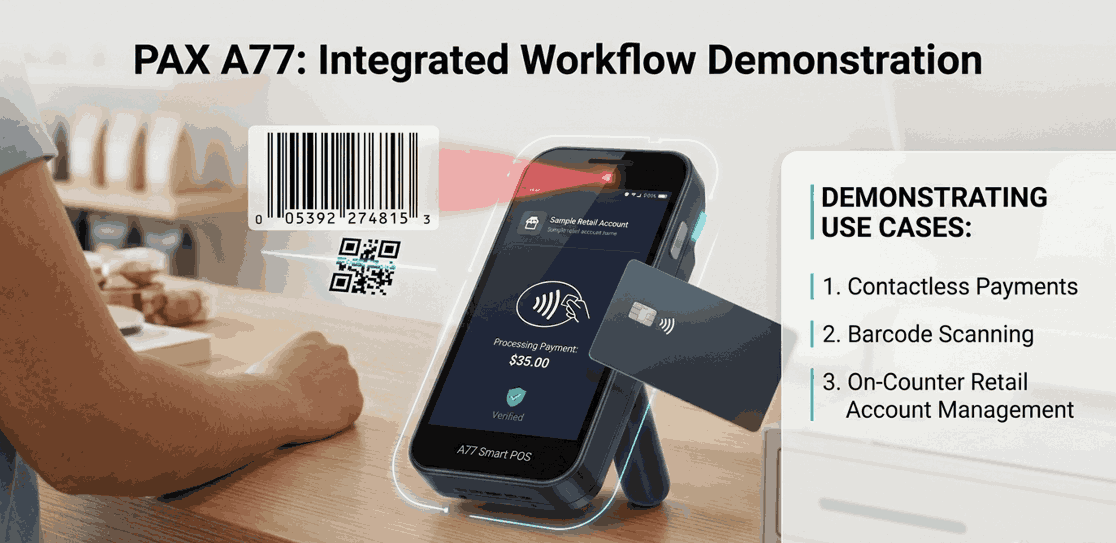
PAX A77 Smart POS Features Explained: Payments, Barcode Scanner & Android Power
If you're looking for a modern Smart POS for retail, delivery, or tableside payments, the PAX mobile POS device is designed to blend "payment terminal" reliability with Android flexibility. It's made to look like a smartphone with a large touch screen and connectivity for on-the-go selling.
In this guide, we'll break down what the PAX A77 POS system does well (payments, scanning, Android workflows), where you should be careful (configurations vary), and how to choose the right setup with a merchant services provider.
Get Started With Us
Fill in your details and we'll get back to you shortly.
What is the PAX A77?
This device is often positioned as a "Smart Mini POS+" and an Android-powered payment device that can accept cards and support business apps, with options that include professional barcode scanning.
If your team needs a PAX smart POS that can move around anywhere in the store or work away from the counter, the A77 is typically a strong fit for:
- Queue-busting in shops
- Delivery and curbside workflows
- Tableside payments in hospitality
- Scanning and payment in one handheld flow (where configured)
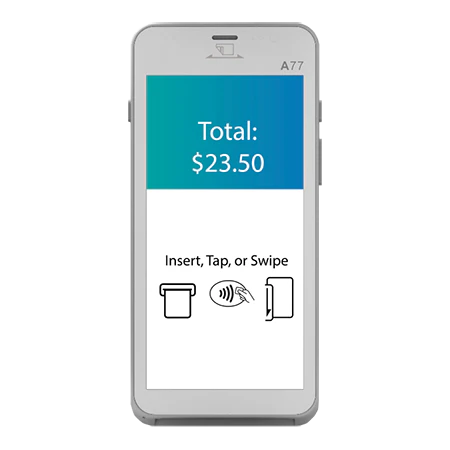
Real Life Payment Done Through A77
It is designed as a PAX payment terminal for modern acceptance of Chip and PIN, contactless, and magstripe, which are the most common capabilities across official pages and datasheets.
Here is what that means in buyer language:
- EMV chip card reader: Handles chip transactions with PIN entry for supported cards.
- Contactless payment terminal / NFC payment device: Supports tap transactions for cards and compatible wallets.
- Tap-to-pay POS: Helpful in fast lanes and busy service counters where speed matters.
- Debit card reader: Works for debit transactions through your acquiring setup and supported networks.
In everyday use, it behaves like a dependable credit card processing machine, but the difference is that you can also run Android workflows around the payment, depending on your deployment.
What's the Deal with the Barcode Scanner?
The most common reason why people shortlist the A77 is the "scan and pay" idea:
- Scan an item
- Confirm the basket
- Take payment without walking back to a fixed till
PAX's own A77 page highlights the fact that it "secures payment acceptance and a professional barcode scanner in a single device," and other official pages emphasize barcode scanning, placing it among the top POS devices in the market.
Important (EEAT note): The scanner may be optional depending on configuration/region and how your unit is supplied. Make sure to confirm the exact hardware bundle before you order.
Comparison: Android Smart POS Vs Basic Terminal
The A77 smart POS separates itself from simpler devices. It's marketed as an Android POS terminal, and PAX's official product page lists Android-powered operation (with some versions listing Android 14).
Practically, that enables:
- Running business apps (inventory lookups, order capture, delivery workflows)
- More flexible UI flows than traditional terminals
- Device management options via your deployment stack (varies by provider)
That's also why it's commonly described as a mobile point of sale terminal rather than just a card reader.
Is it Portable for Real Shifts?
PAX material is commonly known for a 5.5-inch touch screen and a rechargeable battery aimed at full-shift usage, plus connectivity like 4G, Wi-Fi, and Bluetooth, depending on configuration.
The combination is what people really need:
- Handheld POS system for mobility-heavy business
- Wireless POS system for shops that need coverage across the floor
- Smart payment terminal for modern, app-enabled checkout
If you're comparing options and want one device per staff during peak hours of sale, you can also treat this as a portable POS device.
Payment Options: Does It Support Apple Pay, Google Pay?
By using the device's contactless payment capabilities, wallet support is typically delivered through your acquiring configuration. Many deployments use the A77 as an Apple Pay–compatible POS and Google Pay payment terminal when the merchant account and contactless rails are enabled appropriately. (Always confirm wallet acceptance with your provider and region.)
This is less about the hardware being "capable" (it generally is) and more about your PAX payment solutions setup, such as:
- Your processor
- Certifications
- Enabled payment types
How Secure is the A77?
Security claims are where you should be precise. Unlike other modern POS, such as Clover Flex, which can encounter issues more frequently, official PAX materials reference PCI security standards and SRED in datasheets and product pages (exact version can vary by document and configuration).
A careful, buyer-friendly way to interpret this:
- You're deploying a PCI-compliant POS system when it's configured and maintained correctly within your payments environment.
- Modern terminals are designed around secure payment processing, including protections intended to reduce exposure of sensitive data.
- PAX has highlighted A77-related PCI PTS certifications in its own communications (security standards evolve over time).
- Many implementations also reference encrypted transaction processing as part of the end-to-end payments flow—again, confirm the exact encryption and compliance posture with your provider and gateway.
Steps to Confirm Before Buying PAX A77
Before you commit, here's a practical checklist we recommend to clients:
- Scanner configuration: Is the professional scanner included or optional in your bundle?
- Connectivity: Do you need 4G, or is Wi-Fi enough for your floor plan?
- Receipts: Do you need a printer workflow? Some setups rely on digital receipts or external printers (verify your configuration and accessories).
- Apps and integrations: Which Android apps are supported in your payments ecosystem (not just in theory)?
- Processor compatibility: Confirm your acquirer/gateway supports the A77 model and certifications you'll deploy.
This is why your merchant service provider choice matters as much as the hardware.
Is it a Good Fit for Retail and Hospitality?
In retail, the A77 can function as retail POS hardware when your workflow benefits from "scan and take payment" away from the counter (especially during rush hours). For hospitality, it can also play the role of a restaurant POS device when staff need to take orders and payments tableside or handle quick payments near the floor.
A simple way to decide:
- If you need mobility, scanning, and Android flexibility, the A77 is usually worth a look.
- If you just need the cheapest tap terminal, a simpler device may be enough.
Conclusion
The A77 is more than a terminal—it's a PAX POS system concept built around Android workflows, modern payment acceptance, and often integrated scanning in a handheld form factor. Specs and certifications can vary by region and configuration, so the smartest move is confirming your exact bundle, connectivity, and provider compatibility before rollout.
If you want help selecting the right configuration (scanner vs no scanner, Wi-Fi vs 4G, app requirements), our team can advise on best-fit setups and provider readiness, so you deploy once and avoid costly rework.