


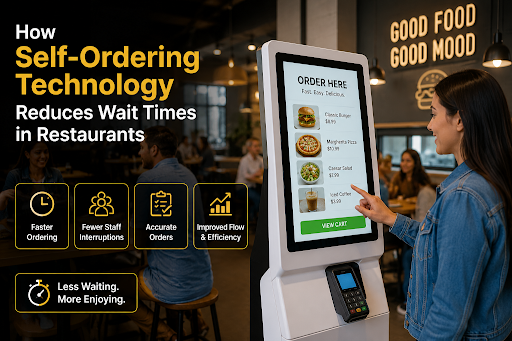
How Self-Ordering Technology Reduces Wait Times in Restaurants
Every minute a customer waits in line, your restaurant loses money you'll never see on a report.
Not the sale you rang up — the three sales that walked out the door before reaching the counter. Research on quick-service dining keeps landing on the same ugly truth: once a line looks longer than five or six people, a chunk of hungry customers simply turn around and go somewhere else. They don't complain. They don't leave a review. They just vanish.
That invisible loss is exactly what a Clover Kiosk POS is built to stop. Hand the ordering process to the customer — a touch screen, a card reader, a menu they can browse at their own speed — and the register stops choking your lunch rush. Let me walk you through why this works so well, because it's not just "machine replaces cashier." The mechanics are more interesting than that.
What Self-Ordering Technology Actually Means
Strip away the buzzwords, and it's simple: a digital ordering system where guests build and pay for their own order, no staff member in between. Most restaurants do this with a restaurant self-service kiosk — a screen mounted on a stand or counter, wired straight into the kitchen display and the payment processor.
A Clover Kiosk System is a common pick among independents because everything ships in one unit — screen, card reader, printer, software — and the menu syncs from the same dashboard the rest of your POS uses. No duct-taping five vendors together. That alone saves owners a lot of headaches.
The Uncomfortable Truth About Why Lines Form
Here's what I'd tell any owner blaming their kitchen for slow service: go stand near your register during a rush and actually time things.
Nine times out of ten, the kitchen isn't your problem. The conversation is. A guest walks up undecided, asks about the combo, changes the drink, and asks whether the sauce is spicy. Cashier repeats it back, keys it in, runs the card, and maybe counts change. Two minutes gone. Sometimes three. Meanwhile, twelve people stand behind that one conversation door, doing absolutely nothing.
One register means one order at a time. Forever. That's the ceiling, and no amount of hustle raises it.
Kiosks break the ceiling. Guests decide while browsing, not while a queue breathes down their neck. And three screens take three orders simultaneously — something one cashier physically cannot do.
What Actually Gets Faster
The ticket skips the middleman. Tap confirm, and the order lands on the kitchen display that second. No verbal relay, no re-typing, no "wait, did he say no pickles?" Fewer wrong orders means fewer remakes, and every remake you dodge is two or three tickets behind it that don't get delayed.
Payment stops being its own step. Contactless ordering merges paying into ordering. Tap the card on the kiosk. Done. The old shuffle — order, then dig for the wallet, then wait for change, just evaporates.
Your people move to where speed actually lives. This one gets missed constantly. The kiosk doesn't delete a job; it reallocates one. Your cashier becomes a food runner or an extra pair of hands on the line — and during a Friday slam, one more body in the kitchen beats any software upgrade you could buy. Good restaurant automation works alongside your team, instead of it.
Peak hours stop breaking you. The same screens sitting half-idle on Tuesday afternoon soak up Saturday night without one extra labor hour. Capacity up, payroll flat. Show me another investment in restaurant technology with that math.
The Numbers, Roughly
Owners who've switched to self-service ordering keep reporting the same pattern. Order time falls around 40%. Average checks rise 15 to 30 percent — a screen never forgets to ask "add fries for $1.99?" while a tired human on hour seven absolutely does. And error rates drop, since customers punch in their own modifications.
Faster orders. Fatter checks. Fewer mistakes. The big chains figured this out a decade ago; what changed is that touch-screen ordering hardware finally got cheap enough for a single-location shop.
Will Your Customers Hate It?
Mostly no — with one honest caveat.
Younger guests genuinely prefer a restaurant ordering kiosk. Zero pressure. Nobody sighs behind you while you decide between medium and large. And contactless payment turned out to be a permanent preference, not a 2020 phase.
The caveat: some older regulars still want a human face. So don't rip out the register. Run kiosk-first — two or three screens plus one staffed till. You capture the speed without alienating the customers who've been coming in for fifteen years. They matter too.
Before You Buy Anything
A few questions worth asking any vendor. Does the order fire straight to the kitchen display, or does somebody re-enter it? (If it's re-entered, walk away.) Is the card reader built into the unit? Can you 86 an item from your phone when you run out mid-shift? Do kiosk sales flow into your main reports or sit in a separate silo?
And ask about support. This hardware lives in grease and gets tapped ten thousand times a day. Buy from a company that answers the phone.
This checklist, frankly, is why so many small operators end up with a Clover Kiosk POS — the boxes come pre-ticked, and you don't need an IT department to keep it running.
Bottom Line
A long line isn't a staffing problem. It's a throughput problem — and throwing more cashiers at it just raises payroll without increasing your ceiling. A self-ordering system attacks the real bottleneck: parallel ordering, tickets sent straight to the kitchen, and payment built into the same tap.
The higher average checks often pay for the hardware on their own. The customers who stop walking away? That's the return you'll notice every single day.