





Where barbershops lose time and money
The waitlist lives on a clipboard
Clients leave when they cannot tell how long the wait is, and regulars get skipped when nobody remembers who asked for whom.
Tips go to the wrong barber
One card terminal at the front, three barbers, and a tip that has to be sorted out by hand at the end of the night.
Chasing booth rent
Rent due every week, paid in cash, late, or partly. Tracking it in a notebook turns into arguments.
No-shows on a full Saturday
A booked slot that never shows is a cut you could have given a walk-in, and money you do not get back.
Chairs
Saturday, 4:15 PM
Marcus
Fade and beard, about 10 min left
Andre
Ready for next client
Luis
Kid's cut, about 25 min left
Waitlist (3)
- 1.JayAsked for Andre
- 2.ChrisNext available
- 3.SamNext available
Commission, booth rent, or both: set up the POS to match
How you pay barbers decides where card payments should land. Getting this right on day one avoids a lot of messy payouts later.
| Pay setup | Commission shop | Booth rent shop | Mixed shop |
|---|---|---|---|
| Who takes the payment | Commission shopThe shop, on shared terminals | Booth rent shopEach barber, on their own terminal | Mixed shopShop terminal for commission barbers, own terminals for renters |
| Where deposits go | Commission shopThe shop's account | Booth rent shopEach barber's own account | Mixed shopSplit by barber type |
| What the shop tracks | Commission shopSales and tips per barber for payroll | Booth rent shopBooth rent collected each week | Mixed shopBoth |
| Tips | Commission shopAttributed per barber in reports | Booth rent shopGo straight to the barber | Mixed shopDepends on barber type |
How you classify barbers is a tax and legal question. Talk to your accountant; we set up the POS to match your decision.
What your barbershop POS should do
Walk-in waitlist
Walk-ins join a list next to booked appointments, with requested barber or next available.
Online booking
Clients book their barber online, and bookings show up on the same schedule as walk-ins.
Tips by barber
Each service tied to the barber who did it, so card tips land with the right person.
Payment at the chair
A handheld lets barbers take payment and tip at the chair, and keep the front clear.
Commission reports
Service sales and tips per barber for any pay period, ready for payroll.
Card on file and deposits
Hold a card or take a deposit at booking, so no-show fees follow your posted policy.
Memberships
Monthly plans billed to a saved card, for clients who come in every two weeks.
Retail products
Sell pomade, beard oil, and shampoo with inventory, and credit barbers for product sales.
Recommended setups

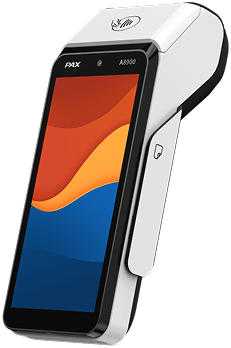
Solo barber
One chair, your own business
- One handheld for booking, payment, and tips
- Online booking with card on file
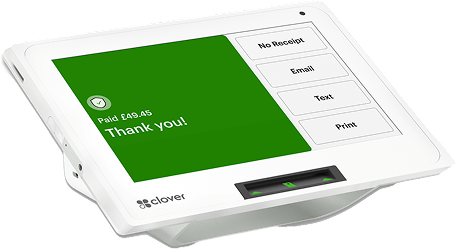
Commission shop
2 to 6 chairs
- Front desk terminal with waitlist
- Handheld to pay at the chair
- Tips and sales by barber for payroll
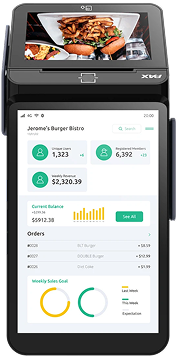
Booth rent shop
Renters with their own business
- Each renter on their own terminal and account
- Shop account for booth rent and product sales
- Same terminal brand across the shop
Plenty of your clients still pay cash
Barbershops see a large share of cash for cuts and tips. A cash discount program lets card clients cover the cost of card acceptance, so fees stop coming out of every $30 cut.
Questions to ask before you pick a barbershop POS
Ask any provider these, including us.
Running a salon with color, nails, or spa services too? See our salon and spa POS or nail salon POS.
- Can walk-ins and appointments share one list?
- Can clients ask for a specific barber on the waitlist?
- Can booth renters have their own accounts and deposits?
- Are tips attributed to the right barber automatically?
- Can I take a card on file or deposit for bookings?
- Can I sell monthly memberships on a saved card?
- What is the full monthly cost, per shop and per renter?
- Can I reach support on a Saturday afternoon?
From quote to first cut
Tell us about your shop
Chairs, how you pay barbers, and your walk-in versus appointment mix.
Services and barbers loaded
Cuts, add-ons, prices, barbers, and tip settings set up for you.
Terminals ship ready
Configured and tested, with a quick walkthrough for your barbers by phone.
Open the doors
Most barbershops are live within 24 to 48 hours.
Barbershop POS
questions, answered
The best barbershop POS manages walk-ins and appointments on one list, lets clients request a specific barber, tracks tips and sales by barber, and fits how your shop pays barbers, whether that is commission, booth rent or a mix. Most shops use a countertop terminal at the front and a handheld so barbers can take payment at the chair.
Yes. Booth renters usually run as their own businesses, so each renter can have their own merchant account and terminal, with card sales and tips deposited straight to them. The shop owner keeps a separate account for booth rent and any shop sales.
Yes. Walk-ins join a waitlist next to booked appointments, and clients can ask for a specific barber or take the next available chair, so the front desk always knows who is up next.
Each service is assigned to the barber who did it, so card tips and service sales are reported per barber. Commission shops can use those reports to calculate pay for any pay period.
Yes, if your booking setup saves a card on file or takes a deposit when a client books. Post your no-show policy clearly and show it at booking so clients agree to it before any charge.
Many shops sell monthly memberships, such as a set number of cuts per month, billed to a saved card. We can set up recurring billing where your plan supports it.
Most barbershops are live within 24 to 48 hours. We load your services, prices, barbers and tip settings before your first day.
Get a POS that keeps the
chairs full
Tell us about your shop and we will recommend a setup, with the full monthly cost upfront.
Get a barbershop quote