





Built for vendors who pack up
at the end of the day
Craft and makers markets
Handmade goods, jewelry, candles, art
Band and concert merch
Shirts in every size, fast lines between sets
Pop-up shops
Short-term retail in malls and empty storefronts
Trade shows and expos
Samples, show specials, and orders to ship later
Farmers markets
Packaged goods, plants, soap, and produce
Seasonal stands
Holiday markets, pumpkin patches, and fireworks stands
Selling cooked food from a truck or trailer? Kitchen tickets and menu modifiers matter more for you. See our food truck POS.
What goes wrong at events
The count does not match at load-out
You brought 40 shirts, sold what felt like 30, and packed up 7. Without a record of what you brought, you cannot tell miscounts from theft.
Lines, change, and slow card readers
Odd prices mean digging for coins. A phone-dongle reader that drops Bluetooth mid-sale sends customers to the next booth.
A new tax rate every weekend
Sales tax usually follows the event's location. Forget to update it and you owe the difference out of your own pocket.
No idea if the booth paid off
A $400 booth fee, travel, and a long day. If sales are mixed with every other event, you cannot tell which shows to book again.
What your event POS should do
Stock in, stock out
Record what you bring to each event, and see what sold and what should come back.
Sizes, colors, and variants
Every shirt size and color tracked on its own, so you know exactly what to restock.
Tax by event
Save each event's tax rate before doors open, including tax-included pricing where allowed.
Cellular and offline payments
Take cards over 4G when there is no Wi-Fi, and store them offline when there is no signal.
All-day battery, built-in printer
Handhelds that print receipts and last through a full market day without an outlet.
Sales by event
Each event's sales, best sellers, and busiest hours in its own report.
Email receipts
Customers who want a receipt by email become a list you can tell about your next event, with their permission.
One system for shop and booth
If you also have a storefront, events and shop share one inventory and one set of reports.
Is the booth worth it? Check before you book.
Enter the booth fee, other costs, and your average margin. You will see how much you need to sell just to break even.
Sales needed to break even
$600
Profit at expected sales
$495
An estimate before sales tax and card processing fees. Your POS event reports show the real numbers afterward.
Event day POS checklist
A routine that prevents most event-day problems.
The night before
- Charge every terminal and spare battery
- Set the event's sales tax rate
- Record the stock you are packing
- Add any show-only specials
At setup
Before doors open:
- Run a test sale on site
- Check signal, and turn on offline mode if it is weak
- Count your cash float
- Post your price and payment signs
At pack-up
- Close out the day on the terminal
- Count what is coming back and compare
- Note what sold out for next time
- Check the event report against the booth fee
Recommended setups

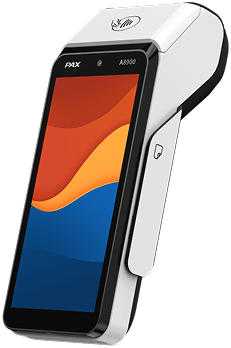
Solo vendor
One table, one person
- One handheld with built-in printer and cellular
- Products and variants preloaded
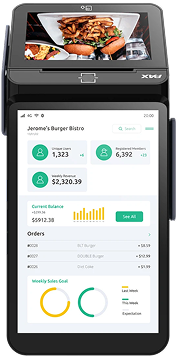
Busy merch table
Concerts, festivals, big shows
- Two or three handhelds for line-busting
- Shared inventory across every device
- Spare battery or charging bank
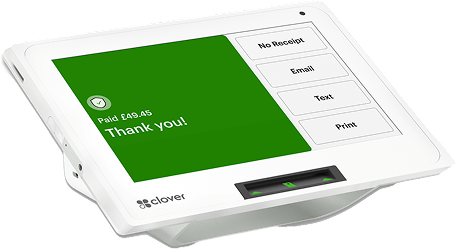
Shop plus events
A storefront and regular booths
- Countertop station in the shop
- Handhelds for events on the same inventory
- Reports by location and event
From quote to first event
Tell us what you sell
Products, variants, how often you do events, and where.
Products loaded
Items, sizes, colors, prices, and tax settings set up for you.
Terminal ships ready
Charged, configured, and tested, with a short walkthrough by phone.
Sell at your next event
Most vendors are ready within 24 to 48 hours.
Event and pop-up POS
questions, answered
Look for a battery-powered handheld with a built-in receipt printer, cellular data and an offline mode, plus inventory with variants like size and color, tax settings you can change per event, and sales reports by event. For most vendors that means a handheld such as the PAX A920 or Clover Flex.
Yes. Cellular-capable terminals take payments over mobile data, and offline mode stores card payments to send once a connection returns. Offline payments are approved later, so a small share can decline; set a per-sale limit for offline payments.
In many states, vendors must hold a sales tax permit and collect tax at the rate for the event's location, which can change from one event to the next. Save each event's rate in your POS before the doors open, and check your state's rules for temporary and traveling vendors.
Yes. Items can be set up with variants such as size and color, each with its own count. Record what you bring, and the POS shows what sold and what should come back at load-out.
Many vendors do, where their state allows it. The POS can treat a $20 price as tax-included and report the tax portion separately. If you do this, post a sign that says prices include tax.
Yes. One inventory and one set of reports can cover a storefront and event booths, with sales labeled by location so you can see how each event performs.
Most vendors are live within 24 to 48 hours. We load your products, variants and tax settings before the terminal ships.
Get a POS that packs up
as easily as your booth
Tell us what you sell and where, and we will recommend a setup with the full monthly cost upfront.
Get an event POS quote