


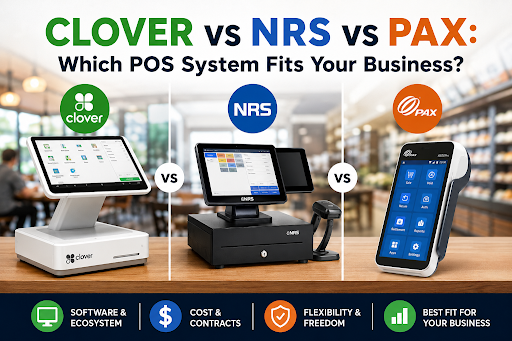
Clover vs NRS vs PAX: Which POS System Fits Your Business?
If you're comparing Clover, NRS, andPAX, here's the short answer: they're not three versions of the same thing. Clover is a full software-plus-hardware ecosystem owned by Fiserv. NRS is a budget register built for convenience stores, bodegas, and tobacco shops. PAX is a hardware manufacturer — its terminals run whatever software your payment processor loads onto them.
That distinction decides everything else: cost, contracts, and how stuck you are in three years.A Clover POS systemgives you the most polished software but locks you into proprietary hardware and (usually) 36-month contracts.NRS gives you the cheapest counter setup but ties discounts to its own processing. A PAX device gives you freedom to switch processors — but you're responsible for choosing the software.
This guide breaks down which lock-in you can live with, using a simple filter I call The 3-Lock Test.
What's the Actual Difference Between Clover, NRS, and PAX?
Clover sells an ecosystem: proprietary Android POS devices (Go, Flex, Mini, Station Duo), tiered software plans, an app market, and Fiserv payment processing bundled in. You buy the whole package or nothing.
NRS (National Retail Solutions), a division of IDT Corp, sells a purpose-built register for independent retail — dual screens, EBT/eWIC support, tobacco scan data, and a loyalty network — with heavy hardware discounts if you use NRS Pay.
PAX Technology manufactures terminals like the A920 Pro handheld and the A80 countertop machine. You don't buy from PAX directly; your processor or ISO provides the device and controls the software running on it.
Which One Costs Less Over 3 Years?
Sticker price is where most buyers get fooled. Compare the 3-year total cost of ownership instead:
| Cost Factor | Clover | NRS | PAX (via Processor) |
|---|---|---|---|
| Hardware (Typical) | $199–$1,899 per device | $599–$999 bundle (discounted with NRS Pay) | Often free or $0–$500 when subsidized by the processor |
| Software / Service Fee | ~$14.95–$189/month by plan | ~$19.95–$69.95/month | Usually $0–$30/month, set by processor |
| Processing | ~2.3%–3.5% + $0.10 | NRS Pay flat-rate or cash-discount plans | Whatever rate you negotiate — this is the whole point |
| Contract | Commonly 36 months via resellers | Contract required; equipment fees may apply if not returned | Varies by ISO — always read the terminal lease agreement |
One important detail many comparisons skip: "Free" PAX terminals from an ISO may come with a 48-month non-cancelable lease that ends up costing more than purchasing the hardware outright. Always compare the total long-term cost, not just the upfront price.
Is NRS or Clover Better for a Small Retail Store?
For a convenience store, smoke shop, or bodega, the NRS POS System usually wins on fit, not features. It ships with EBT/EWIC acceptance, ID scanning for age verification, tobacco scan-data rebates, and lottery-friendly workflows — things Clover often requires additional apps or workarounds to match.
For boutiques, salons, and general retail businesses where branding, inventory depth, and third-party integrations matter most, Clover's software is more polished, and its extensive app marketplace fills gaps that NRS cannot.
One detail many buyers overlook: the NRS customer-facing screen displays third-party advertisements by default. Removing those ads requires an additional fee.
Is PAX a Full POS or Just a Payment Terminal?
This is one of the biggest misconceptions. A PAX POS Machine such as the PAX A920 Pro is primarily payment hardware — a touchscreen device with a printer, scanner, and 4G connectivity. PAX does not sell the POS software or process your payments.
That's actually one of its biggest advantages. Because PAX terminals are processor-agnostic, you can negotiate lower processing rates, switch payment processors later, and continue using the same hardware. Clover and NRS make switching considerably more difficult because they are designed around their own ecosystems.
The overall experience depends on the ISO or processor that configures the device. A great ISO delivers a great experience. A poor ISO can leave you with configuration issues and limited support because PAX itself doesn't provide a centralized POS support team.
Bottom line: A PAX terminal is the only option of the three that lets you change payment processors without replacing your hardware.
Which Is Best for Restaurants?
Clover is designed with restaurants in mind. It offers table mapping, tableside ordering with the Flex, kitchen display systems (KDS), and online ordering — with quick-service packages starting around $135/month (typically on 36-month bundles) and full-service plans reaching approximately $179–$189/month.
NRS is built primarily for scan-and-go retail, convenience stores, and tobacco shops. While it can run third-party restaurant POS software through your payment processor, it generally works best for food trucks and counter-service businesses, where Clover's restaurant features are usually unnecessary.
Restaurant profit margins typically range from just 2–6%. That means even a small difference in payment processing fees can quietly cost more than your entire monthly POS software subscription.
One important edge case: buying Clover through a bank instead of an independent payment processor can result in 50–100% higher payment processing markups on the exact same hardware. Same terminal. Very different monthly bill.
What Is The 3-Lock Test?
Before signing anything, run every vendor through the 3-Lock Test. Score each category from 0 (free) to 2 (fully locked). A total score of 5–6 should only be acceptable if the vendor offers a compelling discount that justifies the restrictions.
- Hardware Lock — If you leave, does your equipment become a paperweight?
Clover: Yes. NRS: Usually. PAX: No. - Processor Lock — Can you switch payment processors without replacing the system?
Clover: No. NRS: Only through a paid TPPI add-on. PAX: Yes. - Contract Lock — What happens if you cancel during month 13 of a 36-month agreement? Always request the early termination fee in writing before signing.
Clover typically scores 5–6, NRS falls around 4–5, and PAX usually scores 1–3, depending on your payment processor. That doesn't automatically make PAX the best choice — it simply means Clover buyers should confirm they're receiving enough value to justify the higher level of lock-in.
Bottom line: The 3-Lock Test turns a confusing POS comparison into one simple question: How expensive will it be to leave?
Conclusion
There is no single "best" POS system for every small business. The right choice depends on how much flexibility you're willing to trade for convenience.
Choose Clover if you want polished software and are comfortable with a 36-month relationship. Choose NRS if you operate a convenience store, smoke shop, or bodega and want the most affordable purpose-built solution. Choose PAX if keeping the freedom to switch processors later matters more than joining a single vendor ecosystem.
Before signing any agreement, run the 3-Lock Test, get every fee in writing, and compare the total three-year cost instead of focusing only on the first month's price.
Get Started With Us
Fill in your details and we'll get back to you shortly.