


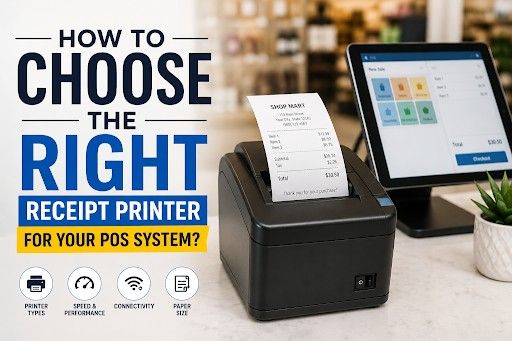
How to Choose the Best POS Receipt Printer for Your POS System?
If you've ever stood in an electronics aisle (or spent three hours on Google) trying to figure out receipt printer for a POS system actually works for your setup, you're not alone. The options are everywhere, the specs are confusing, and half the product listings might as well be written in a foreign language.
We get it.
At Soireeinc, we help businesses of all sizes find tech that doesn't just work out of the box. It works for their specific environment, whether you run a busy café, a retail boutique, or a multi-lane checkout. Choosing the best POS receipt printer comes down to a handful of smart decisions. This guide will walk you through all of them, without the fluff.
Get Started With Us
Fill in your details and we'll get back to you shortly.
Why Search for the Right Receipt Printer?
You must be wondering, "Why ponder so much on a mere receipt printer?"
Don't worry, we are right there with you. Like many other aspects of business operations, many may seem insignificant, but they hold immense value. It's actually very easy, even convenient, to treat the receipt printer as an afterthought, after all, isn't it just a machine that spits out paper?
But if you ask any retail manager or restaurant owner who's dealt with a jammed printer during the lunch rush, they'll tell you why you should do your research before you buy a printer. It's anything but minor. The wrong printer means:
- Slow lines
- Unhappy customers
- Constant paper changes
- Repair costs
The right cost-effective receipt printing solution blends into the background and does its job quietly. It lets your team focus on other main operational tasks. That's exactly what a good POS hardware receipt printer guide should help you find.
What's Best? Thermal vs. Impact
Before anything else, you need to understand the thermal vs impact receipt printer comparison. Why, you may ask, because this choice shapes everything from print speed to long-term cost.
Thermal Printers
Thermal printers are the most commonly seen POS receipt printers. Many business owners and retail managers frequently pair them with modern setups, and for good reason.
These printers use heat to print directly on special paper, no ink, no ribbons, no cartridges. The inkless thermal receipt printer's benefits are hard to ignore:
- They have lower operating costs
- They offer quieter operation
- They print faster
- They have a smaller footprint
If you're running a retail store, café, or any indoor service business, thermal is almost always the right call.
The main downside? Thermal paper can fade over time or if exposed to heat and direct sunlight. For most receipts, this isn't an issue, as customers rarely hold onto them for years. For more on paper types, see our thermal vs regular receipt paper guide.
Impact (Dot Matrix) Printers
Unlike thermal printers, impact printers use an ink ribbon instead of heat. They pin and press ink onto paper. So, operationally, they work like the old-school typewriters. They're louder and slower, but they shine in specific environments, such as kitchens, warehouses, or anywhere with grease, heat, or moisture. If you need a durable receipt printer for heavy use in a restaurant back-of-house setting, impact printers still hold their own.
Also worth noting: impact printers can print on multi-copy paper (like carbon copies), which can be useful for certain order workflows in restaurants or service businesses.
Why Should You Consider Connectivity Before Buying?
This is where a lot of people get tripped up. The right connection type depends entirely on your setup, and the USB vs Bluetooth receipt printer POS debate has a pretty clear answer depending on your environment.
USB
It is a great option for a fixed counter setup where the printer never moves. If you have a traditional receipt printer setup for a POS system with a stationary terminal, USB is dependable and low-maintenance.
Bluetooth
You can choose this if you are looking for a suitable POS printer for:
- Mobile setups
- Pop-up shops
- Market stalls
- Food trucks
The range is limited, usually under thirty feet. But, if your shop or facility is compact, then this might be it.
Wireless Connectivity / Wi‑Fi
The most flexible option available in the market. It pairs well with modern high-tech POS. A wireless receipt printer for POS setup lets you print from multiple devices across a single network. You can find these in most larger establishments.
Ethernet
Even though Ethernet is overlooked, it's still excellent for high-volume environments. It's stable, fast, and doesn't drop connections like Wi-Fi occasionally can.
Core Features of a Perfect Receipt Printer for Your POS
Most business owners either want affordable POS receipt printers or invest in a premium setup. The issue here is that they aren't that well-versed in which features to look for in a POS receipt. So, here's a list:
- Print speed: Look for at least 200 mm/s to 300 mm/s or even higher.
- Paper width compatibility: Most POS printers use 80mm paper, but some use 58mm. Confirm receipt printer paper size compatibility with your paper supplier.
- Software compatibility: Always verify receipt printer compatibility with your POS software before purchasing.
- Drop-in paper loading: Speeds up paper replacement enormously.
- Auto-cutter: There are 2 types: full and partial.
- Durability rating: For high-traffic environments, look for MTBF ratings and head life ratings.
Best POS Receipt Printers for Your Business
There's no single answer to "what's the best printer," it depends on where and how you're using it. Here's how to think through it:
For Restaurants
You need:
- Speed
- Durability
- Double printer duo
You must be thinking, "Speed and durability are obvious, but why do I need two printers?"
Well, because one is at the front counter, and a kitchen impact printer is in the back. The best printer for restaurant POS receipts at the front is almost always a thermal model with Ethernet connectivity. For the kitchen, an impact printer handles the heat and environment much better than a thermal printer.
Any eatery with tableside ordering on tablets can benefit from a wireless receipt printer for POS setup. Their servers don't have to run back to a fixed terminal.
For Retail
Customers don't want to wait, and a messy receipt reflects poorly on the brand. A high-speed receipt printer for retail with USB or Ethernet connectivity and a fast auto-cutter is the standard setup. If you're running a small boutique, a compact receipt printer for a small counter saves desk space without compromising on print quality.
For Pop-Ups and Remote-based Businesses
Bluetooth thermal printers are your best option for mobile business owners. They're portable, easy to pair with tablets and smartphones, and most work with iOS and Android POS apps out of the box. Just make sure you verify receipt printer compatibility with POS software before committing to a model.
Complete Checklist to Select a POS Receipt Printer
If you're wondering how to select a POS receipt printer without getting overwhelmed, run through these questions:
- Check POS software and printer compatibility.
- What type is it? Stationary or mobile?
- What connection type matches your setup?
- Does it match your volume and transactions per day?
- Do you need a kitchen printer as well?
- What's your counter space situation? Ask yourself, "Do I need a compact model?"
- What's your budget, and have you factored in paper roll costs?
Even if you are buying from top brands for POS receipt printers, you should run through this receipt printer buying guide for a small business checklist to save you from a costly return and a week of headaches. For more hardware context, see our POS peripherals buyer's guide and peripherals collection.
Common Issues and How to Avoid Them
Even the best printer can run into problems if set up incorrectly. Here are the most common troubleshooting POS receipt printer issues we see and how to prevent them:
- Paper jams:The solution is to always use high-quality paper. The manufacturer's recommended paper grade.
- Faded prints: Adjust settings in the driver or POS software.
- Connectivity drops: Assign a static IP to the printer on your network and keep it away from other wireless devices.
- Driver conflicts: Make sure you've installed the correct driver version for your OS.
- Receipt not cutting cleanly: Swap the cutters with replacement cutter units.
The Final Verdict
At the end, it's safe to say that the choice itself isn't as hard as it seems if you know what to look for. Choosing the right receipt printer for a POS system doesn't have to be complicated. Once you know your environment, your volume, and your connectivity needs, the decision practically makes itself. Focus on compatibility first, then speed and durability, and don't ignore the long-term cost of paper and maintenance.
And if you're still not sure where to start, that's what we're here for. Get in touch with the Soireeinc team today, and let's find the setup that actually works for your business.