


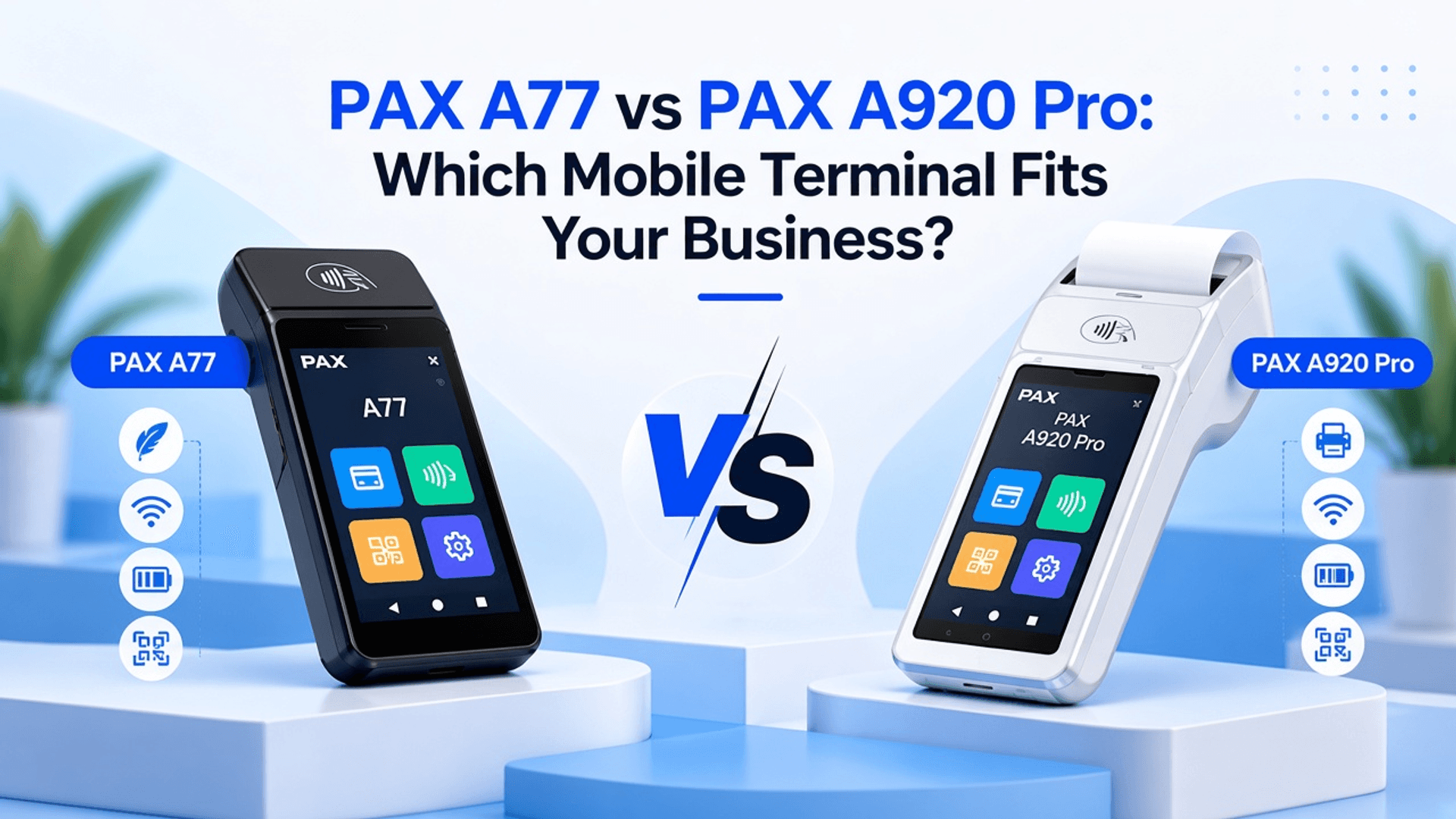
PAX A77 vs PAX A920 Pro: Which Mobile Terminal Fits Your Business?
Whether you run a small café or a busy store, the way you take payments shapes how customers feel about your business. Most shoppers now expect a quick checkout anywhere, and a slow one can cost you sales. That is why more owners are switching to mobile terminals that go straight to the customer.
Here is the tricky part. PAX makes two popular handheld options, and at first glance they look alike. The slim PAX A77 Smart Mobile POS keeps things light. The A920 Pro packs a printer right into its body. In this guide, we will compare the PAX A77 vs. A920 Pro on receipts, scanning, security, and daily use. We will also show you where each one works best.
Get Started With Us
Fill in your details and we'll get back to you shortly.
What Is the Difference Between PAX A77 and A920 Pro?
Both terminals take cards and run on Android. So what sets them apart? Below are the key points that explain the difference between PAX A77 and A920 Pro.
| Feature | PAX A77 | PAX A920 Pro |
|---|---|---|
| Device type | Compact MiniPOS | Full mobile SmartPOS |
| Receipts | No printer; sends digital receipts or pairs with an external printer | Printer built in for instant paper receipts |
| Best for | Light mobile payments, line busting and events | Tableside service, delivery and full mobile checkout |
| Connectivity | 4G, WiFi and Bluetooth | 4G, WiFi and Bluetooth |
| Screen | 5.5-inch touchscreen | 5.5-inch touchscreen |
Feature-by-Feature PAX A77 vs PAX A920 Pro Comparison
Specs on a box only tell half the story. What matters is how each device helps your team on a busy day. So let's break down what each terminal brings.
PAX A77 Features
- Slim Android Design: Small enough for one hand and great for table service or delivery.
- 4G and WiFi: Works anywhere, not just where your router reaches.
- Chip and Tap Payments: Accepts cards and contactless wallets safely.
- Long-Lasting Battery: Gets through a full shift without a midday charge.
- Camera and Scanner: Reads QR codes and barcodes in seconds.
- Light to Carry: Weighs under 300g, so it feels close to a smartphone in your hand.
PAX A920 Pro Features
- Faster Processor: Keeps apps running smoothly even on your busiest days.
- All-Day Battery: Handles a long shift without needing a recharge.
- Built-in Printer: The PAX A920 Pro Smart Mobile POS prints paper receipts on the spot.
- Dual-Band WiFi: Maintains a steady signal across large venues.
- Sharper Scanning: An upgraded camera reads barcodes and QR codes without fuss.
- Comfortable Grip: Staff can hold it for hours without strain.
- Retail and Hospitality Apps: One device runs different software to match your business.
How Different Are the PAX A77 and A920 Pro in Daily Use?
Both devices take payments well. The real test comes when your staff uses them all day in every kind of rush. That is where small details make a big difference.
PAX A77 vs A920 Pro Receipt Printing
The A920 Pro has a built-in thermal printer, so your staff can hand a paper slip to the table. The A77, on the other hand, skips it. Instead, it sends receipts by text or email. Still want a printed copy? You can pair it with a Bluetooth unit. That does mean one more gadget to carry.
PAX A77 vs A920 Pro Connectivity
Both terminals run on 4G, Bluetooth, and dual-band WiFi for a steadier signal. That means a food truck or a patio won't leave you stuck. Tap, approve, and move on. The real catch sits with your payment provider, not the hardware. Cellular bands and setup can vary by region, so ask which version you will get before you buy.
PAX A77 vs A920 Pro Barcode Scanning
Both devices read barcodes and QR codes, so you won't have to guess at checkout. The A77 builds a professional scanner right into its slim frame. It can even snap product photos for your online store. Meanwhile, the A920 Pro adds an 8MP rear camera. That sharper lens helps with faded labels or crumpled coupons. Either one keeps a busy retail aisle moving.
PAX A77 vs A920 Pro Security and Payment Methods
Both terminals take chip cards, tap payments, and phone wallets like Apple Pay or Google Pay. The A77 has one edge here. It is the first to pass PCI PTS 7, the industry's latest security test. The A920 Pro meets PCI PTS 6 and lets buyers enter their PIN right on the screen.
Where Does Each PAX Terminal Work Best?
A great terminal in the wrong spot slows you down. So let's match each device to the places where it shines for your team.
| Use Case | PAX A77 | PAX A920 Pro |
|---|---|---|
| PAX Terminal for Tableside Payments | Light for long shifts. Texts or emails the bill. | Hands over a paper bill on the spot. Great for full-service dining. |
| PAX Terminal for Retail Checkout | Quick scans in busy aisles. Easy to carry around the store. | Gives printed slips for returns. Runs inventory and loyalty apps. |
Which PAX Terminal Is Better for My Business?
The answer depends on how your team works each day. Here is a simple way to decide.
Pick the PAX A77 if you:
- Want a light device staff can carry for hours.
- Send most receipts by text or email.
- Run pop-ups, events, or line busting.
Pick the PAX A920 Pro if you:
- Need paper bills printed on the spot.
- Serve guests at the table or at their door.
- Want to run loyalty or inventory apps.
Conclusion
The A77 wins on weight and feels far lighter in the hand than the A920 Pro. It also carries the newest security rating. In return, the A920 Pro brings a built-in printer and extra muscle for busy service. Neither choice is a bad one. Both handle cards, taps, and wallets with ease. The best PAX mobile payment terminal is simply the one that fits how your staff serves people. Still not sure which one suits you? Reach out to our team at SoireeInc. We will match you with the right device and get it ready for day one. You can also browse our full range of PAX POS terminals to see every option in one place.